Simple Website Builder for Non-Technical Users
Editorial Team··11 min read

Table of Contents
- What Makes a Simple Website Builder Suitable for Non-Technical Users
- AI Website Design: How Automation Speeds Up Site Creation
- How to Build a Website Without Coding: The Top Platforms Compared
- Feature Comparison Table
- How Long Does It Take to Build a Website
- How We Evaluated These Website Builders
- Which Website Builder Should You Choose
- Frequently Asked Questions
Last Updated: September 2, 2026
What Makes a Simple Website Builder Suitable for Non-Technical Users
A simple website builder removes barriers that have historically kept small business owners, freelancers, and entrepreneurs from establishing a professional online presence. These platforms use drag-and-drop editors, pre-built templates, and AI-powered automation to handle technical complexity behind the scenes.
The core distinction lies in accessibility. Non-technical users need interfaces where clicking and dragging elements produces immediate visual feedback, templates provide starting points rather than blank canvases, and publishing doesn't require understanding servers or deployment. Many platforms now layer AI assistance on top, automating site structure, design recommendations, content generation, and SEO optimisation.
The best simple website builders share several characteristics: they prioritise speed (launching in hours, not weeks), include essential features like e-commerce, blogging, and SEO tools without requiring add-ons, and scale gracefully as your needs grow.
AI Website Design: How Automation Speeds Up Site Creation
AI-powered website design transforms how long it takes to move from concept to launch. Rather than spending weeks designing layouts and structuring content, AI builders can generate initial site structures, suggest design variations, and draft copy within minutes of answering a few questions about your business.

The automation works through AI agents that handle different aspects sequentially. One gathers business information, another designs the visual layout, a third optimises for search engines, and a fourth generates initial content. This parallel processing makes AI-assisted builders dramatically faster than manual approaches.
Aleyo exemplifies this with four specialist AI agents (Piper, Delta, Wren, and Dex) that automate website planning, design, and engineering. Users begin in a live workspace where they can edit content word-by-word on the canvas in real time. The platform includes 60 free credits on sign-up, allowing new users to test the system before committing financially.
What might take a freelancer two to three weeks can now happen in a single afternoon. The AI handles repetitive structural decisions, freeing you to focus on details that differentiate your business. However, AI-generated content requires review to ensure it reflects your brand voice and accuracy.
How to Build a Website Without Coding: The Top Platforms Compared
Building a website without coding is now the default expectation. Every platform uses visual editors where your actions directly produce results, no command lines or server configuration required.
Aleyo
Aleyo positions itself as a fast route from zero to professional website. The four specialist AI agents handle initial planning and design, then hand off to the live workspace where you retain full control over every element.
What distinguishes Aleyo is speed without sacrificing customisation. Rather than forcing rigid templates, the platform generates a site structure tailored to your business type, then lets you edit anything directly on the canvas. Integrated modules for blogging, branding, and e-commerce mean you're not switching between separate tools.
Real-time traffic, conversion, and SEO health monitoring gives you visibility into performance immediately after launch. The streamlined lead capture and management system means contact forms feed directly into your workflow. Starting with 60 free credits allows you to test whether the platform's automation aligns with your workflow.
Wix
Wix remains one of the most flexible simple website builders, offering over 900 designer-made templates across virtually every industry. The drag-and-drop editor is intuitive, and the platform includes built-in SEO tools, e-commerce capabilities, and AI chatbot builders. Free website hosting comes with all plans, and the entry-level plan starts at £9 per month when billed annually.
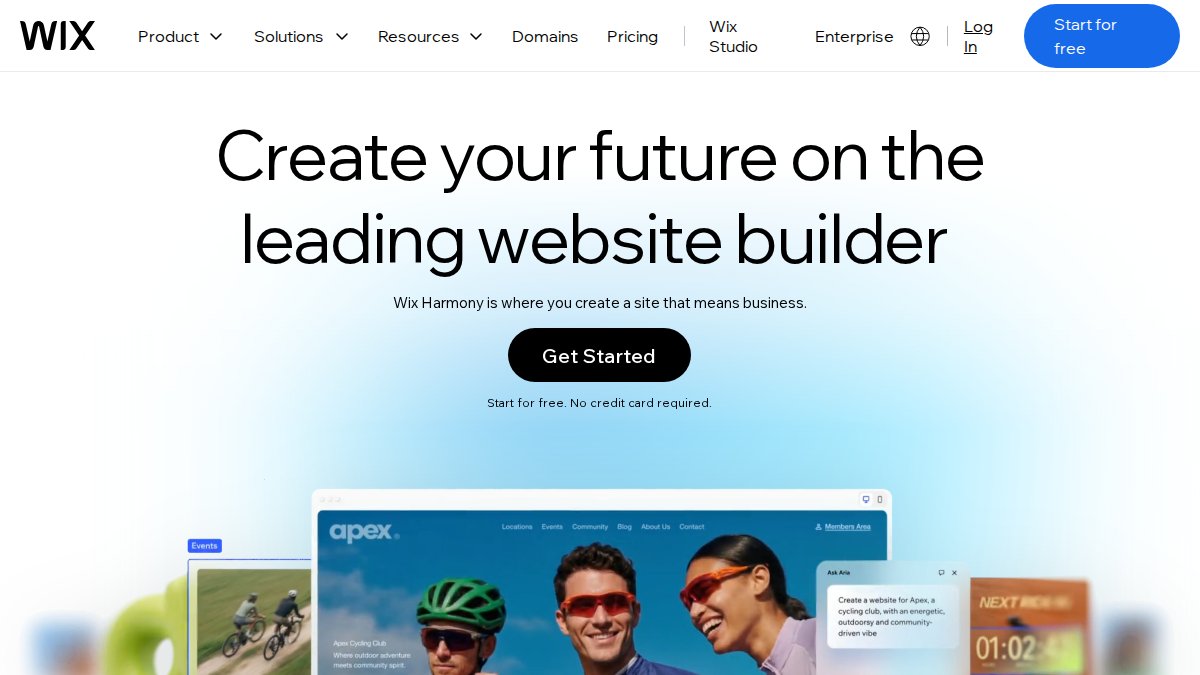
Where Wix struggles is depth. Each feature works adequately but rarely excels. The SEO tools are basic compared to dedicated platforms, and e-commerce functionality handles straightforward catalogues but lacks advanced inventory management. This generalist approach suits small businesses with simple needs but frustrates teams requiring advanced capabilities.
Squarespace
Squarespace prioritises aesthetics in ways most competitors don't. The templates are design-forward, modern, and visually coherent. If your site's visual presentation is core to your brand (photographer, designer, artist, luxury brand), Squarespace's template quality is a genuine differentiator.
The platform includes e-commerce functionality on all plans, starting at £12 per month when billed annually. You get a free custom domain for the first year with paid plans. There's no free tier; Squarespace offers a 14-day free trial instead.
The trade-off is flexibility. Squarespace's templates are beautiful precisely because they're opinionated. Customising beyond built-in options requires comfort with code. The analytics are more detailed than Wix's, but transaction fees apply on lower-tier e-commerce plans.
Hostinger Website Builder
Hostinger Website Builder competes aggressively on price, starting at £2.99 per month for a 48-month commitment. The platform includes a free domain name for the first year, professional email, and unlimited SSL certificates. The AI website builder generates initial site structures quickly.
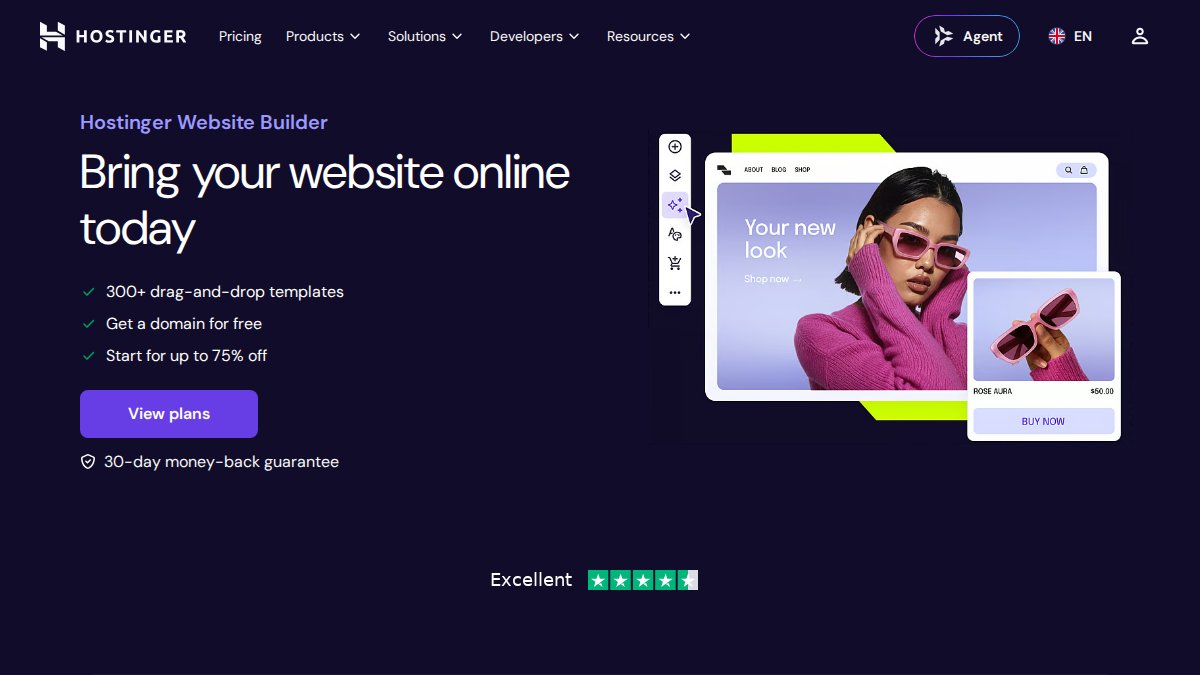
The trade-off is feature depth. Hostinger handles straightforward informational sites and basic online stores well. E-commerce functionality supports up to 500 products on the Business plan. However, the platform lacks advanced features and integrations available on established competitors.
The best pricing requires committing to a 48-month term, which locks you in for four years. Customer support is adequate but not exceptional, relying heavily on knowledge base articles rather than live support on lower-tier plans.
Jimdo
Jimdo positions itself as the "worry-free" website builder, emphasising simplicity and built-in SEO optimisation. The platform offers Jimdo Dolphin, an AI-powered builder that generates site structures automatically, and Jimdo Creator, a template-based editor for users preferring more control.
The free tier is genuinely functional with no branding overlay or artificial limitations. Paid plans start at £11 per month. The platform includes no transaction fees on e-commerce plans, a meaningful advantage over competitors charging per sale.
Jimdo's strength is ease of use. The deliberately simple interface with fewer options reduces decision fatigue. For first-time website creators and self-employed professionals, this simplicity is valuable. The limitation is customisation; the template library is smaller than competitors', and design flexibility is constrained.
Weebly
Weebly offers a generous free tier with unlimited websites, no Weebly branding on the domain, and no artificial feature limitations. Paid plans start at £4 per month when billed annually. The drag-and-drop editor is straightforward, and the platform includes e-commerce capabilities with shopping cart and inventory management.
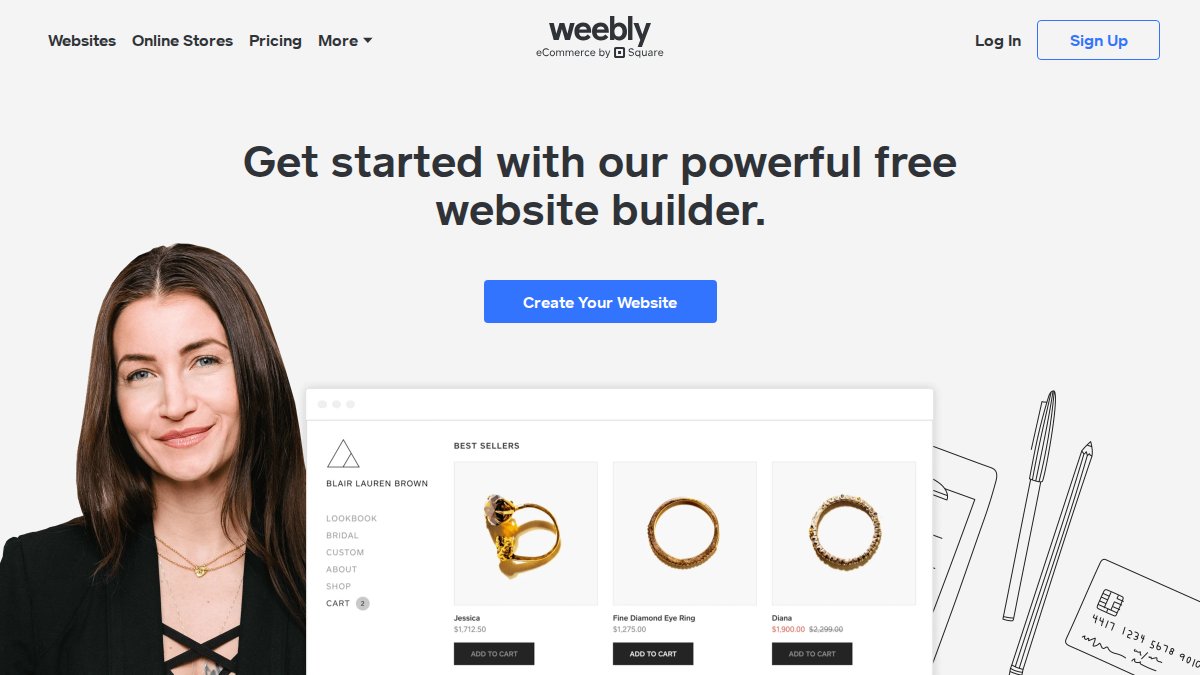
The appeal is value. The free plan is genuinely useful, not a stripped-down trial. For users testing whether they need a website, Weebly lets you validate the concept without financial risk. The limitation is polish; templates are functional but dated compared to Squarespace or Wix. Customer support is available but limited on lower-tier plans.
Feature Comparison Table
| Platform | Free Tier | Starting Price | Best For | Key Differentiator |
|---|---|---|---|---|
| Aleyo | 60 free credits | Custom pricing | Speed and automation | Four AI agents automate planning, design, and engineering |
| Wix | Limited free plan | £9/month | Flexibility and customisation | 900+ templates and deep design control |
| Squarespace | 14-day trial | £12/month | Visual aesthetics | Award-winning design templates |
| Hostinger Website Builder | No | £2.99/month (48-month term) | Budget-conscious users | Lowest cost entry point |
| Jimdo | Full free tier | £11/month | First-time creators | AI-powered or template-based approaches |
| Weebly | Full free tier | £4/month | Value seekers | Generous free plan, no branding |
How Long Does It Take to Build a Website
The time required to build a website varies depending on the platform, your technical comfort, and customisation needs. For non-technical users using modern builders, the timeline has compressed significantly.

With AI-assisted builders like Aleyo, you can move from zero to a functional, published website in a single afternoon. The AI agents handle initial planning and design automatically. Most users spend 2-4 hours on refinement before publishing.
Traditional drag-and-drop builders without AI assistance typically require 1-2 days of active work. For more complex sites requiring custom integrations or significant design departures from templates, budget 3-5 days.
The biggest variable is content preparation. Having your copy written, images selected, and product information structured before building accelerates the process significantly.
How We Evaluated These Website Builders
We assessed each platform across five dimensions: ease of use for non-technical users, speed of initial site creation, feature completeness for common use cases, pricing transparency and value, and quality of customer support.
Ease of use was measured by how quickly a first-time user could navigate the interface and make meaningful changes. Speed of site creation considered both the time required to launch a basic site and whether the platform offered automation. Feature completeness evaluated whether essential functionality was included in base plans or required paid add-ons. Pricing transparency assessed whether plans were clearly differentiated and whether hidden fees existed. Customer support quality was evaluated based on availability and whether help resources were written for non-technical audiences.
Which Website Builder Should You Choose
Choose Aleyo if speed and automation are your primary concerns. The AI agents compress the timeline from days to hours, and the live workspace gives you full control without requiring code knowledge.
Choose Wix if you value flexibility and customisation depth. The 900+ template library suits businesses with specific visual requirements or those planning significant site evolution.
Choose Squarespace if visual presentation is core to your brand. The design-forward templates are unmatched among non-specialist builders, ideal for photographers, artists, designers, and luxury brands.
Choose Hostinger Website Builder if budget is your primary constraint and you're comfortable with a long-term commitment.
Choose Jimdo if you're building your first website and want maximum simplicity. The free tier is genuinely useful, not a trial.
Choose Weebly if you want a free option with real functionality and no branding overlay.
Building a website without coding has become genuinely accessible. The platforms above all deliver functional, professional-looking sites within hours rather than weeks. The choice comes down to whether you prioritise speed (Aleyo), customisation (Wix), aesthetics (Squarespace), budget (Hostinger or Weebly), or simplicity (Jimdo).
If you're starting from zero and want the fastest path to launch with minimal learning required, Aleyo's AI-powered automation removes the technical barriers entirely. Start building with Aleyo and have a live website ready for customers today.
Frequently Asked Questions
Can I really build a professional website without knowing how to code?
Yes. Modern website builders use drag-and-drop editors and pre-built templates that require no coding knowledge. You can select a template, add your content, customise colours and layouts, and publish. Most platforms handle the technical backend automatically. The key is choosing a builder designed for non-technical users with clear instructions and good support.
What features should I look for in a simple website builder?
Prioritise drag-and-drop functionality, mobile responsiveness, pre-designed templates, built-in SEO tools, and e-commerce features if you sell products. Look for platforms offering reliable customer support, clear documentation, and integration with tools you already use. AI-powered design assistants can accelerate the creation process significantly.
How long does it take to build a website with these tools?
Basic websites can go live in hours with AI-assisted builders; traditional drag-and-drop platforms typically take 1-3 days of active work. Complexity depends on your needs: a simple portfolio or landing page is faster, whilst e-commerce stores with many products take longer. Most non-technical users can launch a functional site within a week of part-time effort.
Do I still need a developer if I use a website builder?
Not necessarily. Website builders handle hosting, security, and updates automatically. Most non-technical users complete sites independently. You might need a developer only for highly custom functionality beyond the platform's capabilities, but standard business sites, blogs, and online stores work perfectly without one.
Are website builders good for SEO?
Yes, modern builders include SEO tools like meta tag editing, XML sitemaps, mobile optimisation, and page speed features. AI website design platforms can generate SEO-optimised content automatically. However, SEO success depends on your content quality and strategy, not just the builder. All the platforms listed here support proper SEO practices.
This article was written using GrandRanker
FAQs
- Yes. Modern website builders use drag-and-drop editors and pre-built templates that require no coding knowledge. You can select a template, add your content, customise colours and layouts, and publish. Most platforms handle the technical backend automatically. The key is choosing a builder designed for non-technical users with clear instructions and good support.
- Prioritise drag-and-drop functionality, mobile responsiveness, pre-designed templates, built-in SEO tools, and e-commerce features if you sell products. Look for platforms offering reliable customer support, clear documentation, and integration with tools you already use. AI-powered design assistants can accelerate the creation process significantly.
- Basic websites can go live in hours with AI-assisted builders; traditional drag-and-drop platforms typically take 1-3 days of active work. Complexity depends on your needs: a simple portfolio or landing page is faster, whilst e-commerce stores with many products take longer. Most non-technical users can launch a functional site within a week of part-time effort.
- Not necessarily. Website builders handle hosting, security, and updates automatically. Most non-technical users complete sites independently. You might need a developer only for highly custom functionality beyond the platform's capabilities, but standard business sites, blogs, and online stores work perfectly without one.
- Yes, modern builders include SEO tools like meta tag editing, XML sitemaps, mobile optimisation, and page speed features. AI website design platforms can generate SEO-optimised content automatically. However, SEO success depends on your content quality and strategy, not just the builder. All the platforms listed here support proper SEO practices.